
Introduction
Building an AI agent in Langflow that answers questions about a company is straightforward. Connecting it to reliable, up-to-date financial data from multiple sources is more challenging.
In this tutorial, we'll build a company research agent using Langflow and Dataville's MCP server. With a single connection, your agent can retrieve SEC EDGAR filings and Wikipedia articles, returning structured data with source attribution and freshness metadata.
Using Walmart as our example, we’ll configure the MCP connection, build the agent workflow, and generate a company research agent that:
- Retrieves company background and history from Wikipedia
- Analyzes financial filings from SEC Form 10-K and 10-Q filings
- Identifies recent insider transactions from Form 4 filings
- Produces a structured report with citations that link every section back to its source.
We’ll connect Dataville to Langflow, configure the agent, and run the research workflow. Then we’ll inspect the MCP tool calls and responses to see how it all works.
The goal: build a useful, source-backed research agent while spending less time integrating and maintaining data source connections.
Before You Start
In order to follow along, you’ll need three things:
- Langflow. Download the Langflow Desktop from langflow.org/desktop. If you’d rather run it in docker, please refer to the docker setup instructions.
- A model provider key. The agent needs an LLM, so you’ll need an API key for OpenAI, Anthropic or an aggregator like OpenRouter. The model you’ll use is completely up to you.
- A Dataville API key (recommended). Create an account at app.dataville.com/signup, then open API Keys in the left menu and generate a key. You’ll use it as the Authorization: Bearer … header when you add the MCP server.
You don’t need to install the Dataville MCP server locally. The tutorial connects to the hosted endpoint.
Dataville also accepts anonymous requests so you can try the demo without a key. The anonymous tier is limited to 50 requests per day, so a key is recommended for anything beyond a quick test. See the API keys and authentication docs for more details.
Step 1: Connecting an MCP to Langflow
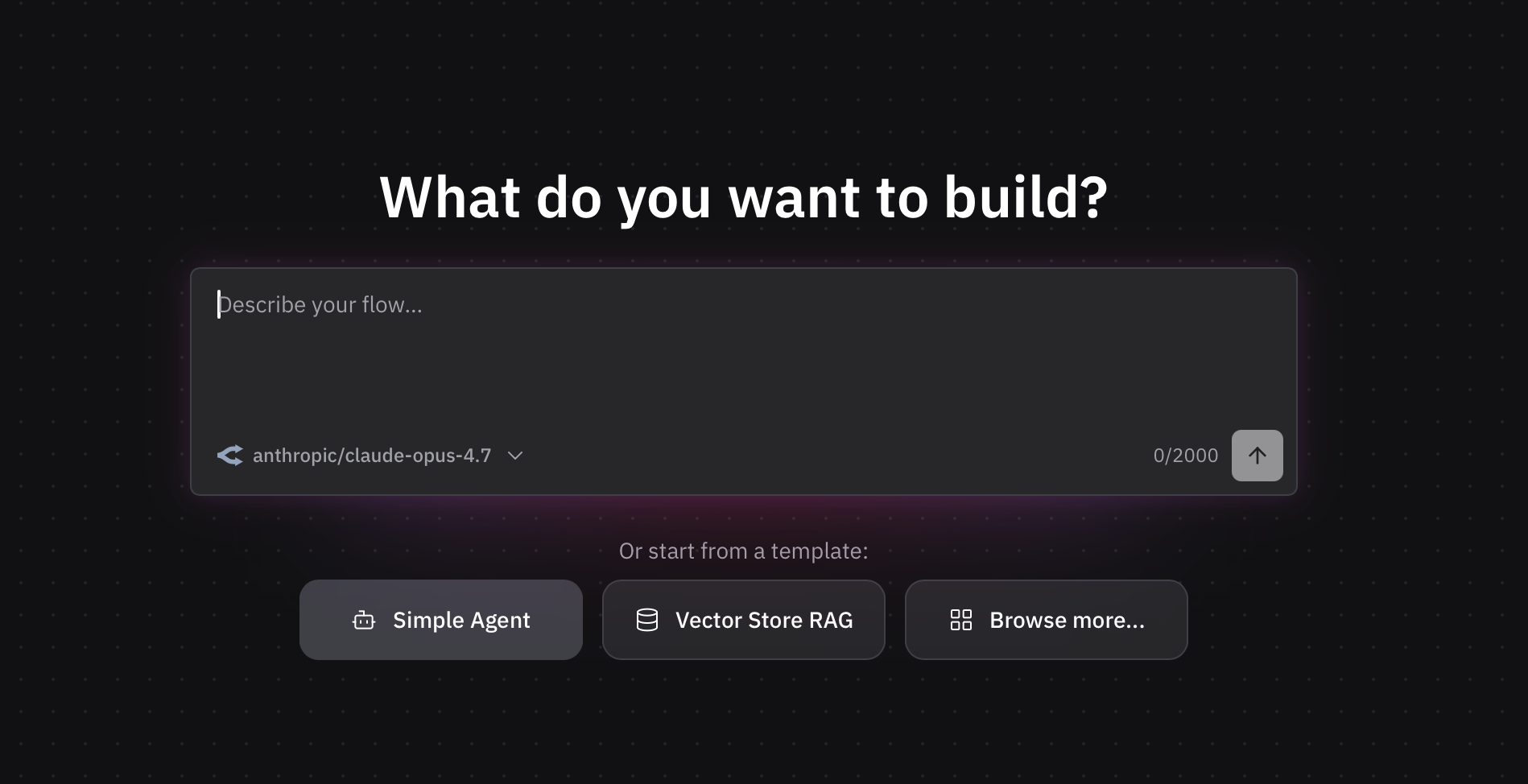
Create a new flow, we’ll select “Simple Agent” as it gives us a good foundation to build on.
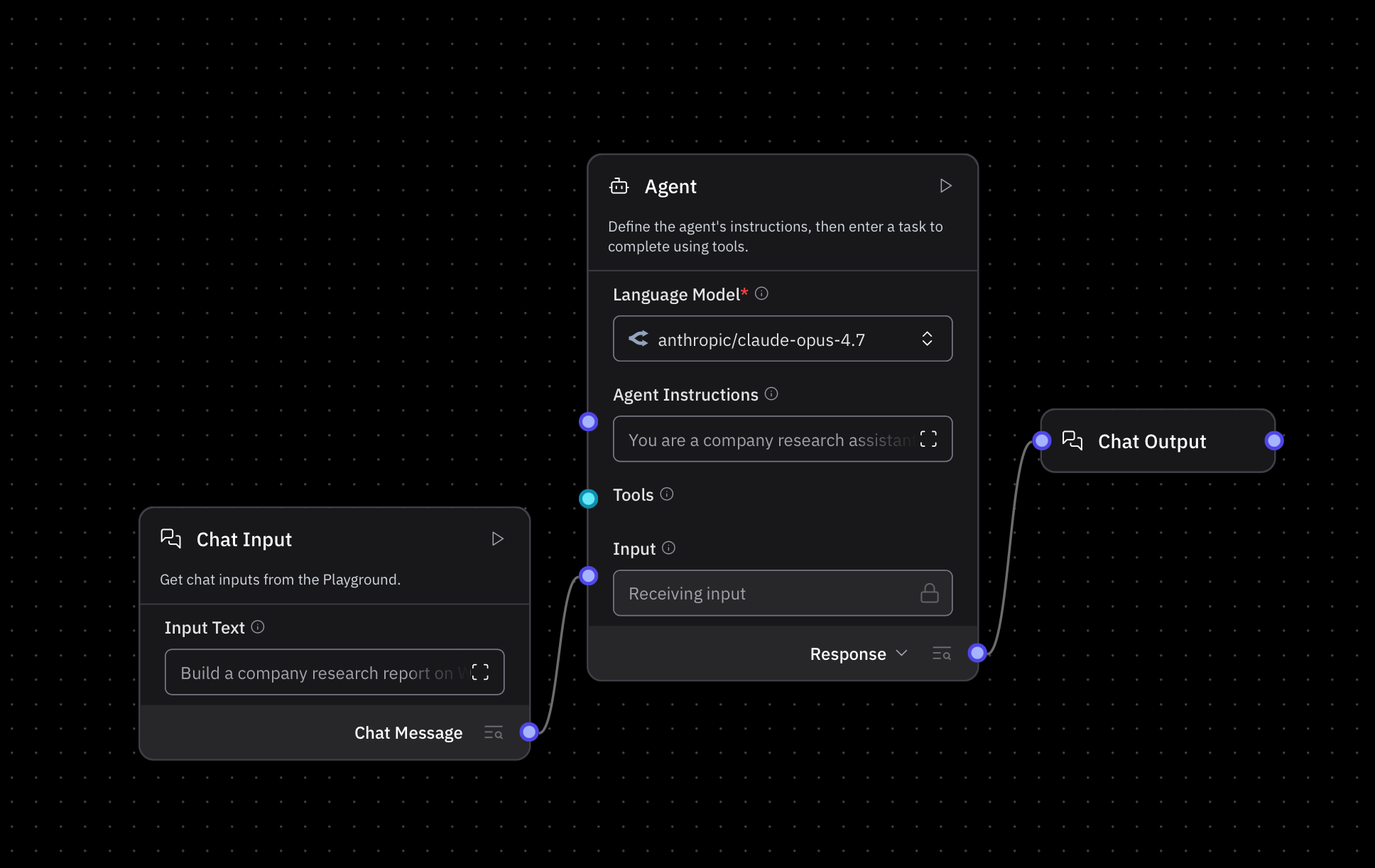
The default setup gives us an agent with access to 2 tools: Web Search and URL, we have removed those for this agent. The agent is also connected to the chat Input and the chat output. This is a great time to pick the Language Model we would like our agent to use. I picked Claude Opus 4.7 as it strikes a great balance between cost and performance and intelligence.
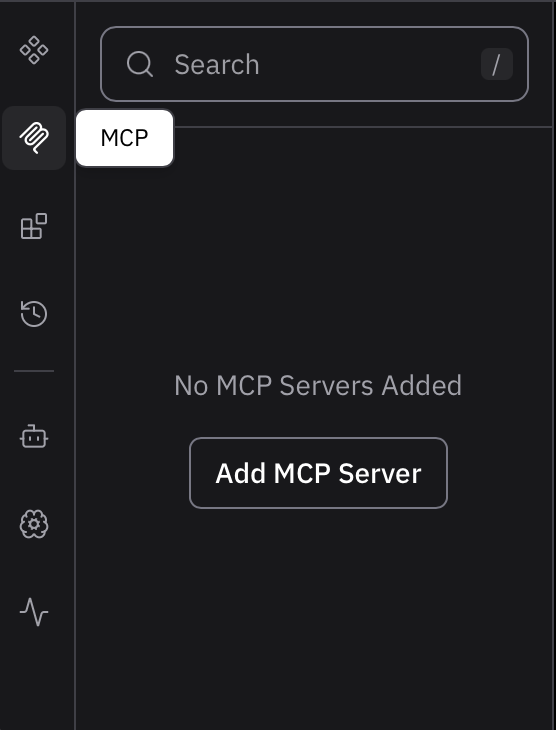
In order to add the Dataville MCP server, click on the MCP button in the menu on the left side. Then click on “Add MCP”.
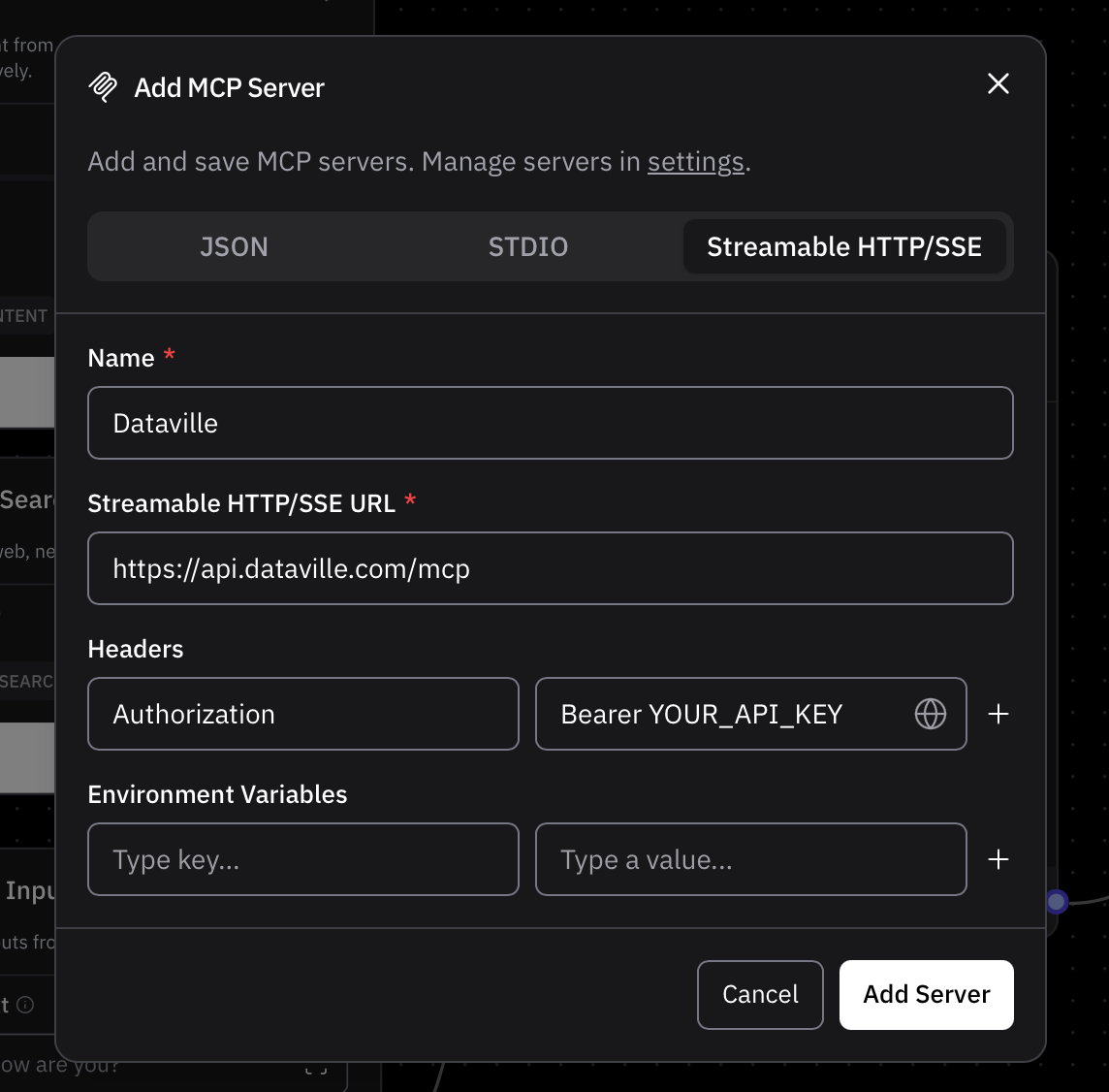
Click on “Streamable HTTP/SSE”, give the MCP server a name and provide the URL which is https://api.dataville.com/mcp. If you have a Dataville API key add a header with key “Authorization” and “Bearer YOUR_API_KEY” as the value. For the sake of this tutorial we can also omit this header and send the requests anonymously. More information on how to connect to the MCP server can be found here.
Step 2: Building Your Langflow AI Agent
After pressing “Add Server”, drag and drop the dataville MCP server into your project canvas.
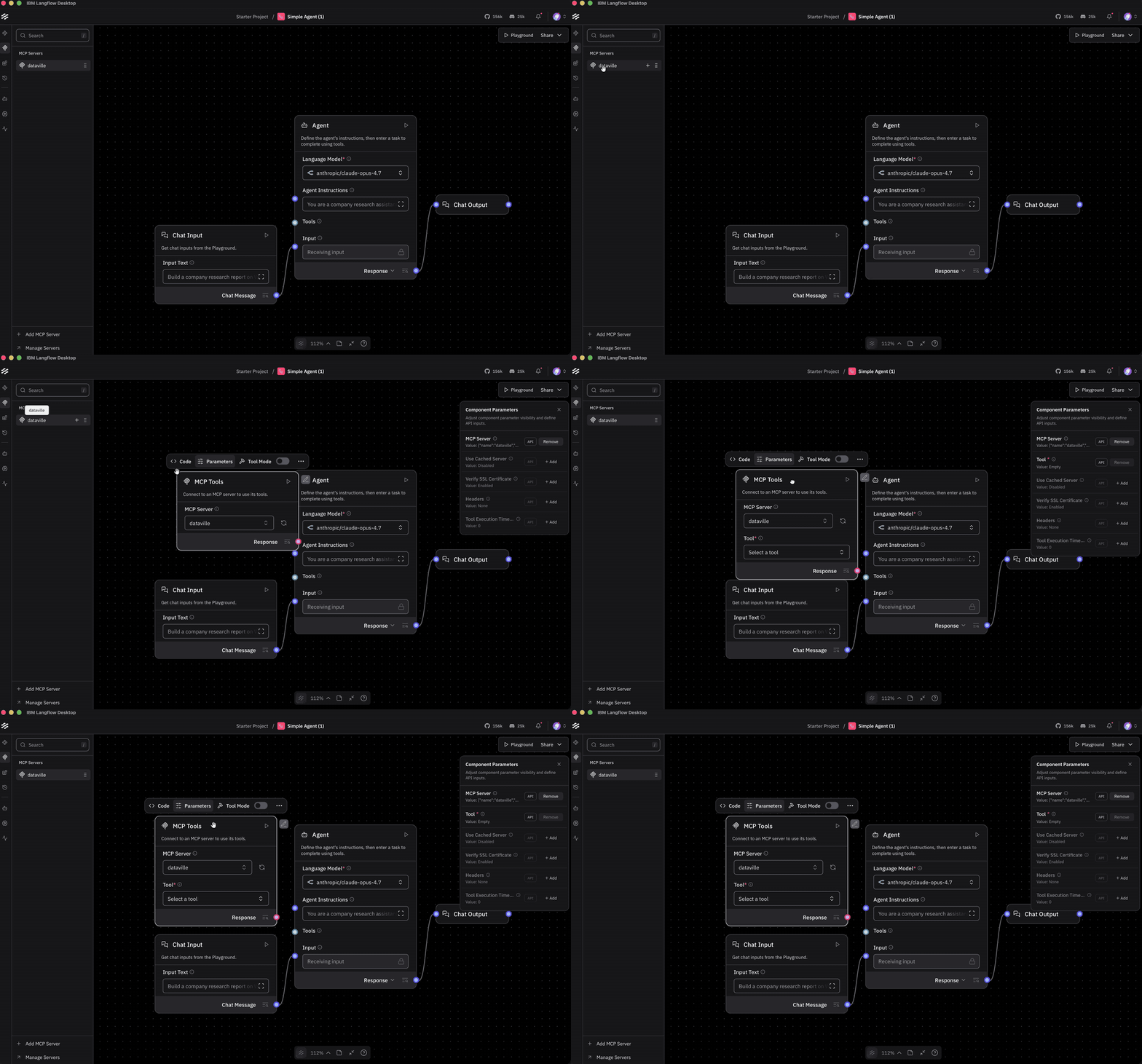
Then click the component, toggle the “Tool mode” and connect the MCP output to the Agent’s tool input.
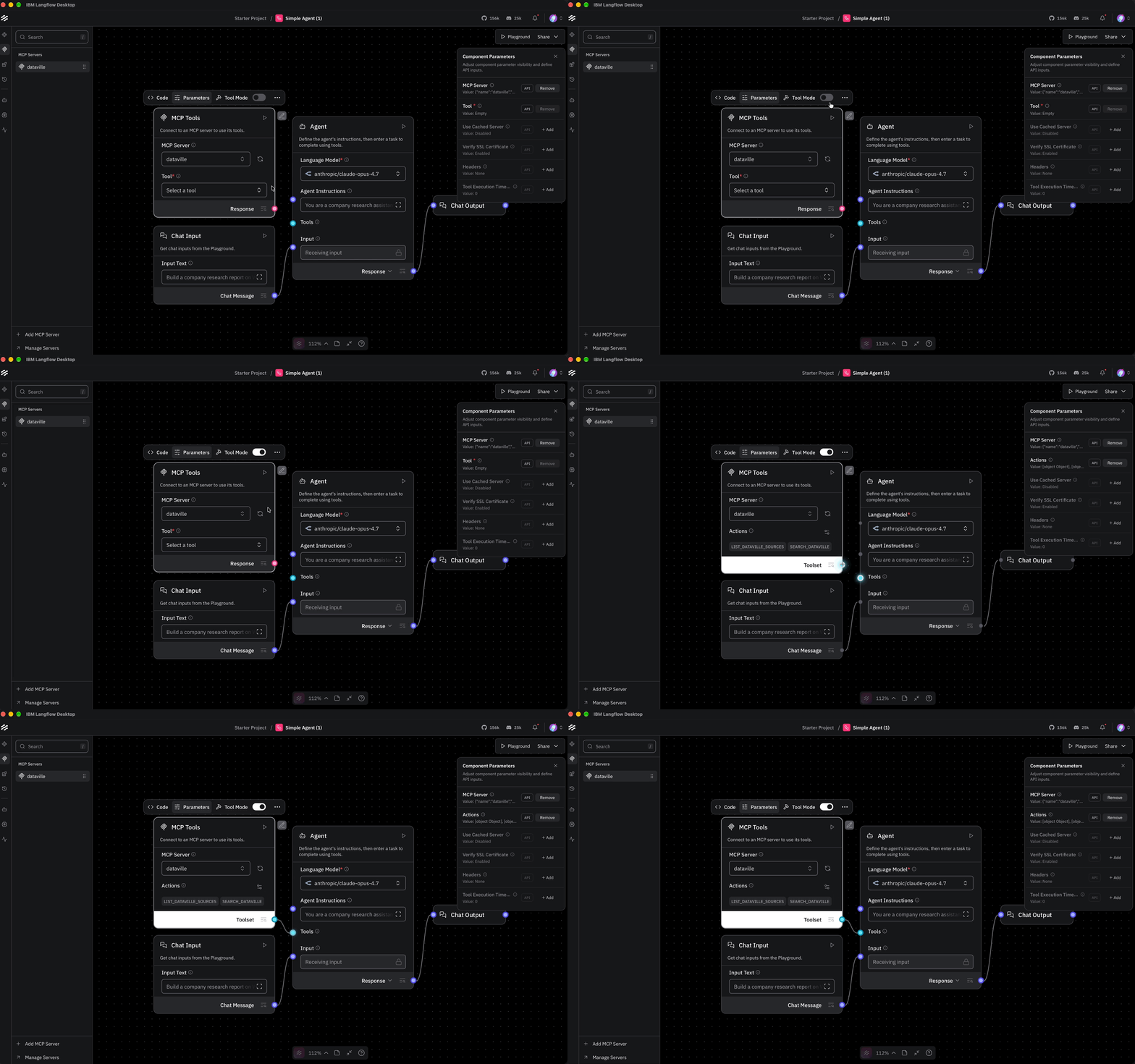
Now the agent can use the Dataville MCP server. But a connection alone doesn’t tell it what to do with the tools. That’s what the Agent Instructions are for: they set the role, explain what tools it can call, and the shape of the output you want.
Here are the instructions I used, but feel free to adjust them for your own use case.
You are a company research assistant with two Dataville tools: `list_dataville_sources`, which lists the available sources, and `search_dataville`, which searches a source by keyword.
For a company report:
1. If needed, call `list_dataville_sources` to confirm the available sources.
2. Search the `wikipedia` source for the company name to get history, headquarters, and markets.
3. Search the `edgar` source separately for the latest 10-K, the latest 10-Q, and recent Form 4s. Put the form type in the keywords, for example "Walmart 10-K" or "Walmart Form 4".
4. If a search returns nothing, say so and try a broader query or another source.
Return a short report with:
- A company snapshot: what it does and where it operates.
- Financials from the latest 10-K and 10-Q.
- Recent insider activity from Form 4 filings.
- Context from Wikipedia: history and markets.
- A citation for each section.
Cite the source name and URL from each result. Keep Wikipedia context separate from SEC facts. Do not invent numbers, dates, or filing details.
Step 3: Run and Test Your AI Research Agent
Open the Playground and ask it to build a financial summary of Walmart. Immediately we can see it is using the Dataville MCP to gather information about Walmart's financials.
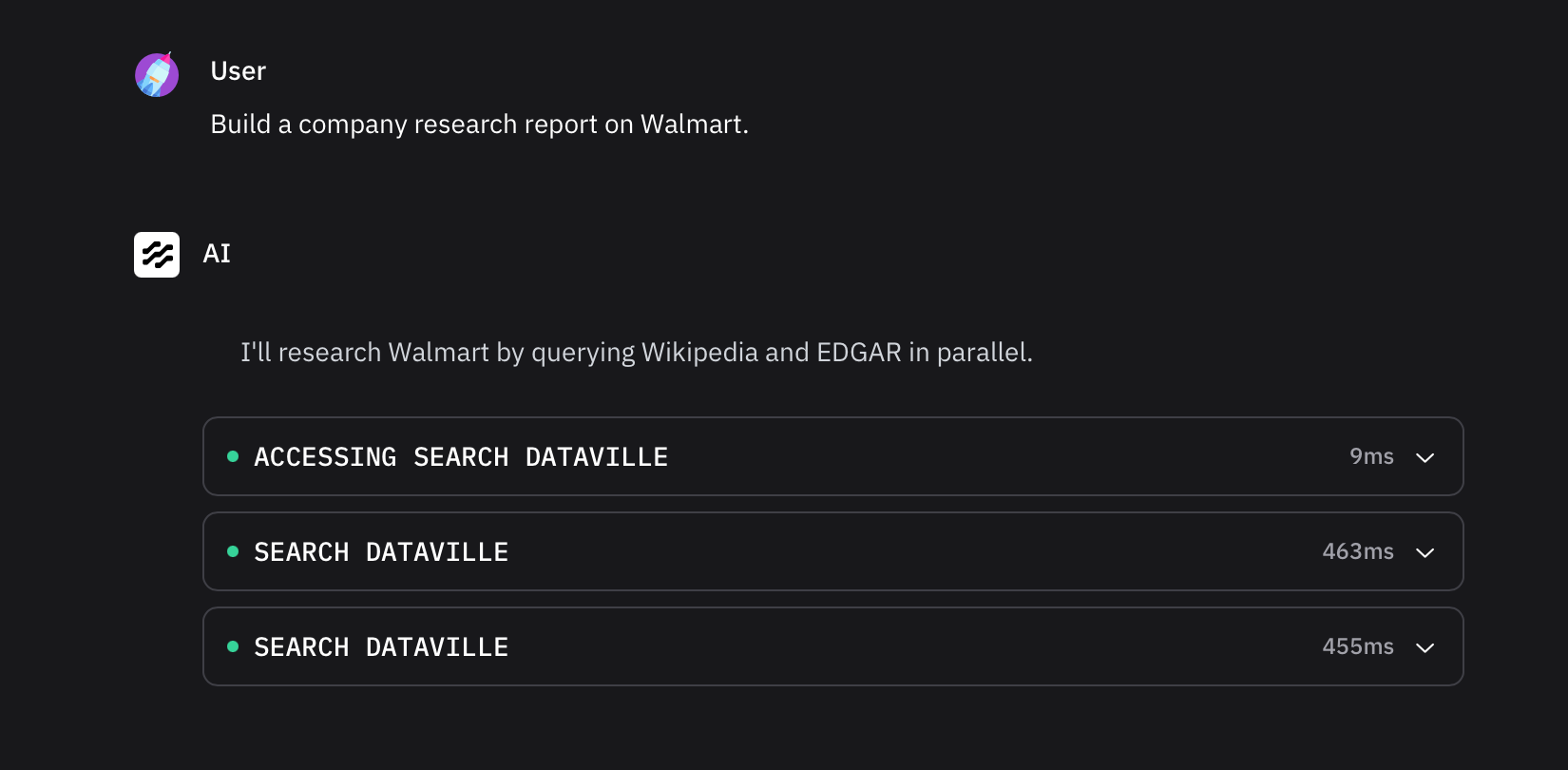
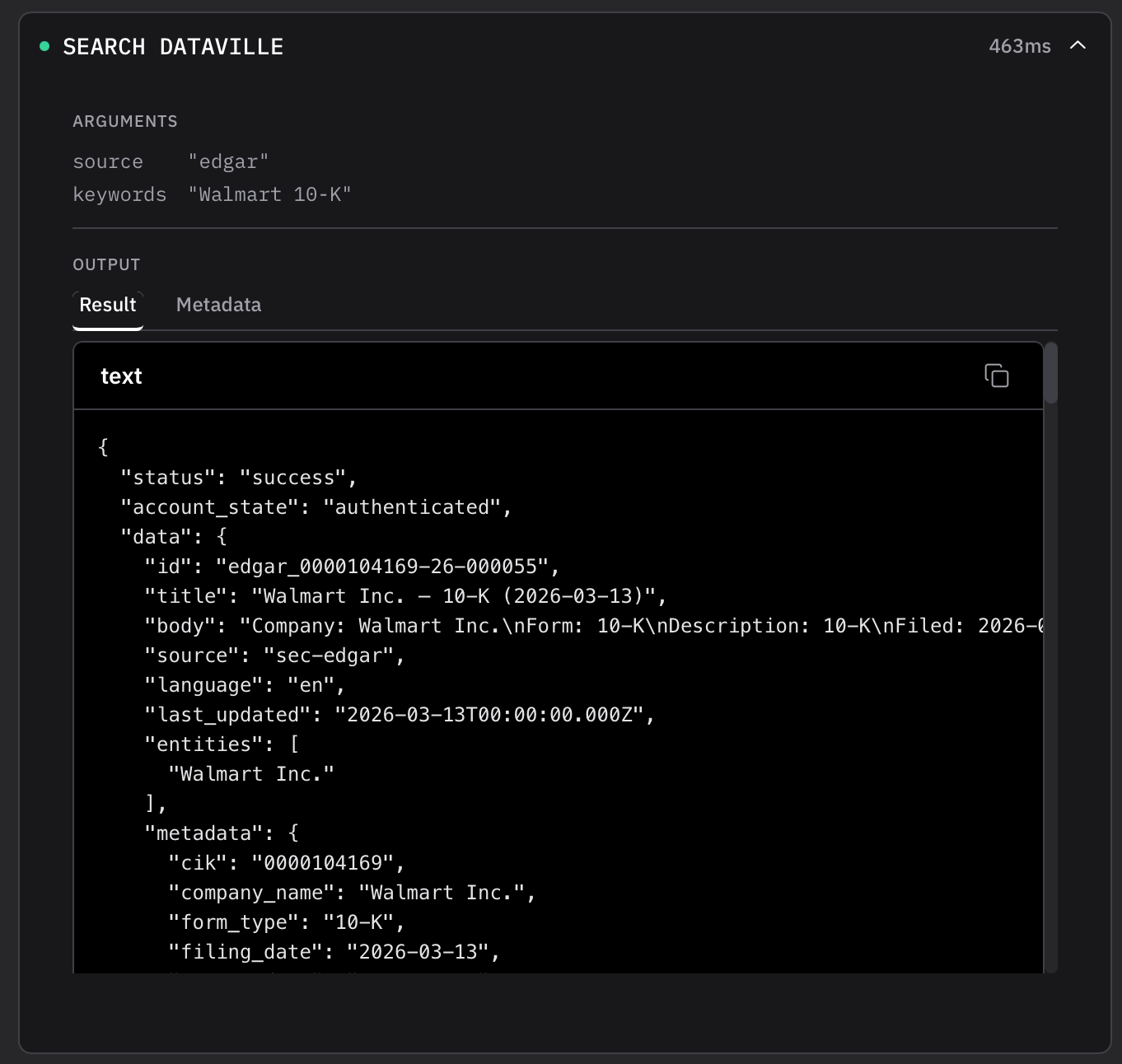
Click on one of the tool calls to inspect the request. Here we can see it searched for the latest Form 10-K in the SEC EDGAR data source.
Thirty-seven seconds and a few tool calls later, the agent has completed the report. It has successfully given us a brief introduction citing the Walmart Wikipedia article, and compiled a quick financial look into the company from the latest Form 10-K, citing the SEC website.
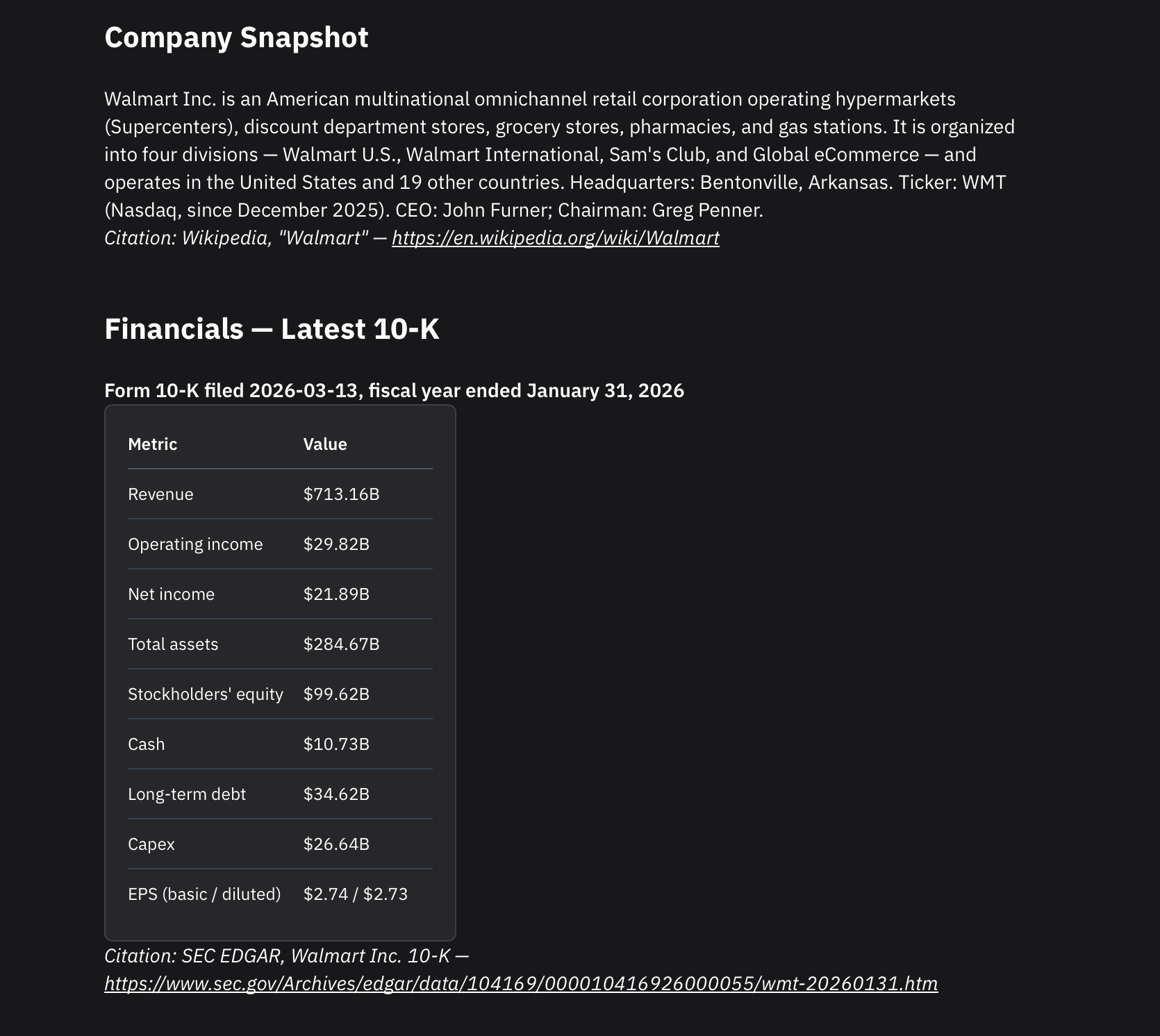
The report goes on, summarizing the latest 10-Q, recent insider activity from the Form 4s as well as a brief history of the company.
To check the accuracy of the report, start with the chat history. It should show several MCP tool calls to the Wikipedia and EDGAR sources. This tells you the agent retrieved real data instead of relying on the model’s memory.
Next, open several of the citation links. Check that they are real articles and filings, and that they support the claims in the report. Note the filing date on the SEC citation and the last updated-date on the Wikipedia citation. Those dates are the freshness signal.
If the chat history shows no tool calls, double check that you have configured the MCP server correctly. If the tool calls suddenly start failing, or you see 429 errors, it is possible you have run out of the anonymous access quota. Create a free API key and try again!
If those checks pass, you’ve verified the report against its sources. You’ve also checked the main failure mode: numbers that look very plausible but don’t match the filing. If the cited material fails to back up a statement, that is your primary red flag. Try refining your prompt constraints and run it again!
Understanding MCP Tool Responses
Now that we’ve received the report from our agent, let’s take a closer look at the JSON responses from the Dataville tool calls. Here is the actual response from the 10-K search, Shortened for readability. The lists are shortened, but the structure is the same.
{
  "status":"success",
  "account_state":"authenticated",
  "data":{
  	"id":"edgar_0000104169-26-000055",
    "title":"Walmart Inc. — 10-K (2026-03-13)",
    "body":"Company: Walmart Inc.\nForm: 10-K\nFiled: 2026-03-13\nPeriod: 2026-01-31\n...\nRevenue: $713.16B\nNet income: $21.89B",
    "source":"sec-edgar",
    "last_updated":"2026-03-13T00:00:00.000Z",
    "entities":[
    "Walmart Inc."      ],
"metadata":{
    "cik":"0000104169",
    "company_name":"Walmart Inc.",
    "form_type":"10-K",
    "filing_date":"2026-03-13",
    "report_date":"2026-01-31",
    "accession_number":"0000104169-26-000055",
    "document_url":"https://www.sec.gov/Archives/edgar/data/104169/000010416926000055/wmt-20260131.htm",         "financials":{
      "revenue":"$713.16B",
        "operating_income":"$29.82B",
        "net_income":"$21.89B",
        "period_start":"2025-02-01",
        "period":"2026-01-31",
        "filed":"2026-03-13"
},
      "recent_filings":[
        {
          "form":"8-K",
          "date":"2026-10-23",
"url":"https://www.sec.gov/Archives/edgar/data/104169/000119312526429539/d184548d8k.htm"
        }
      ]
    }
  }
}
Field
What It Tells the Agent
data.source
Which source the record came from
data.id
A stable identifier for the record
data.metadata.accession_number
The SEC filing identifier
data.metadata.filing_date
When the filing was submitted
data.metadata.report_date
The period the filing covers
data.metadata.financials
Structured figures, no parsing needed
data.metadata.recent_filings
What the company filed after the 10-K
Verify SEC Filing Sources and Citations
The response tells you exactly where the data came from. source says sec-edgar, id and metadata.accession_number identify the filing, metadata.cik identifies the company, and metadata.document_url links to the primary document on sec.gov. The agent doesn't have to guess or construct a citation; it can use these fields directly. That's what makes the citation in the report checkable.
Check Data Freshness and Filing Dates
The response carries several dates, and they answer different questions:
- metadata.filing_date is when the 10-K was filed: March 13, 2026.
- metadata.report_date is the end of the period it covers: January 31, 2026.
- metadata.financials.period_start and period define the fiscal year.
- last_updated is the source's last update for the record. For SEC filings, that tracks the filing. For Wikipedia, it tracks the article.
- metadata.recent_filings lists what the company has filed since the 10-K, including an 8-K on October 23, 2026 and several Form 4s.
That distinction matters. The agent can say "the 10-K is for the fiscal year ending January 31, 2026" and "the latest filing is an 8-K from October 23, 2026." The metadata gives the agent greater confidence in the data's context. It can distinguish the annual reporting period from more recent filings and determine whether additional research is needed.
One Data Format Across SEC EDGAR and Wikipedia
Every source returns the same top-level shape: status, account_state, data, and usage. Inside data, every source returns id, title, body, source, last_updated, entities, and metadata. The body is newline-delimited text for the model to read. The metadata is structured JSON for citations, dates, and figures.
Get the Langflow Example Project
Everything you just saw is in one repo: the flow, the agent prompt, and a sample response.
Clone the repo and run the flow →
Add the Dataville MCP server at https://api.dataville.com/mcp. No API key and no credit card required to start.
